Appearance
Geographic Targeting
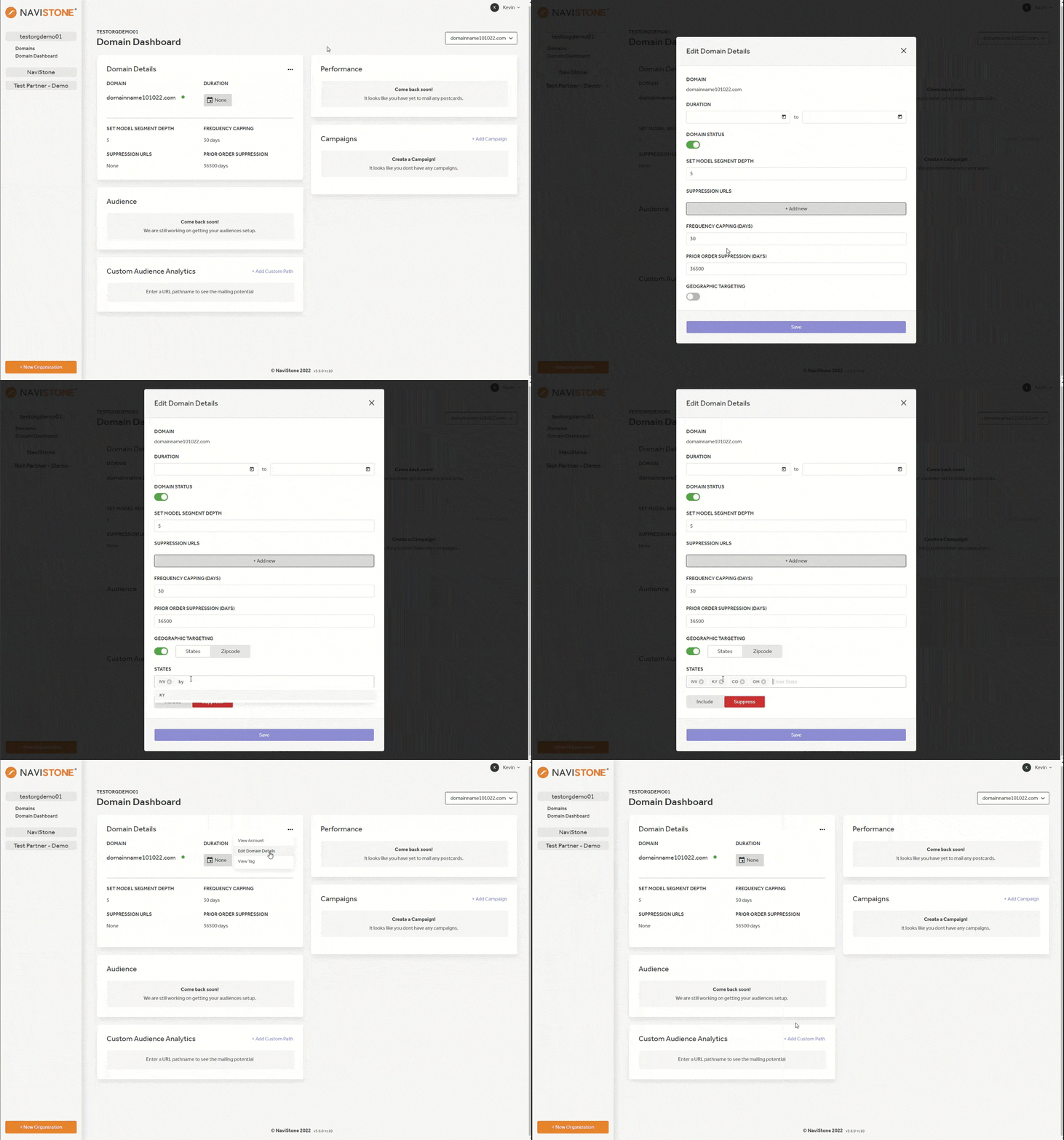
The Geographic Targeting component allows you the ability to suppress or target users on the state and zip code level. Let's review the steps:
- Navigate to Domain Details then click the three dots in the upper right hand corner to select Edit Domain Details.
- Scroll to find Geographic Targetiong and click the toggle to activate.
- There are two options, State or Zipcode. To enter a state, use the hyphenated version (example, Ohio would be OH). For the zipcode, simply type the zipcode / postal code as written.
- After inserting your list, you may choose to Include or Exclude the list in your target users. Press save before exiting the pop up.