Appearance
Shopify
These instructions are made for websites powered by Shopify.
Base Script
This script lays the groundwork for the rest of the tag setup.
Edit Code
- On left hand menu > select Online Store, located in Sales Channels
- Click three dots > choose Edit Code
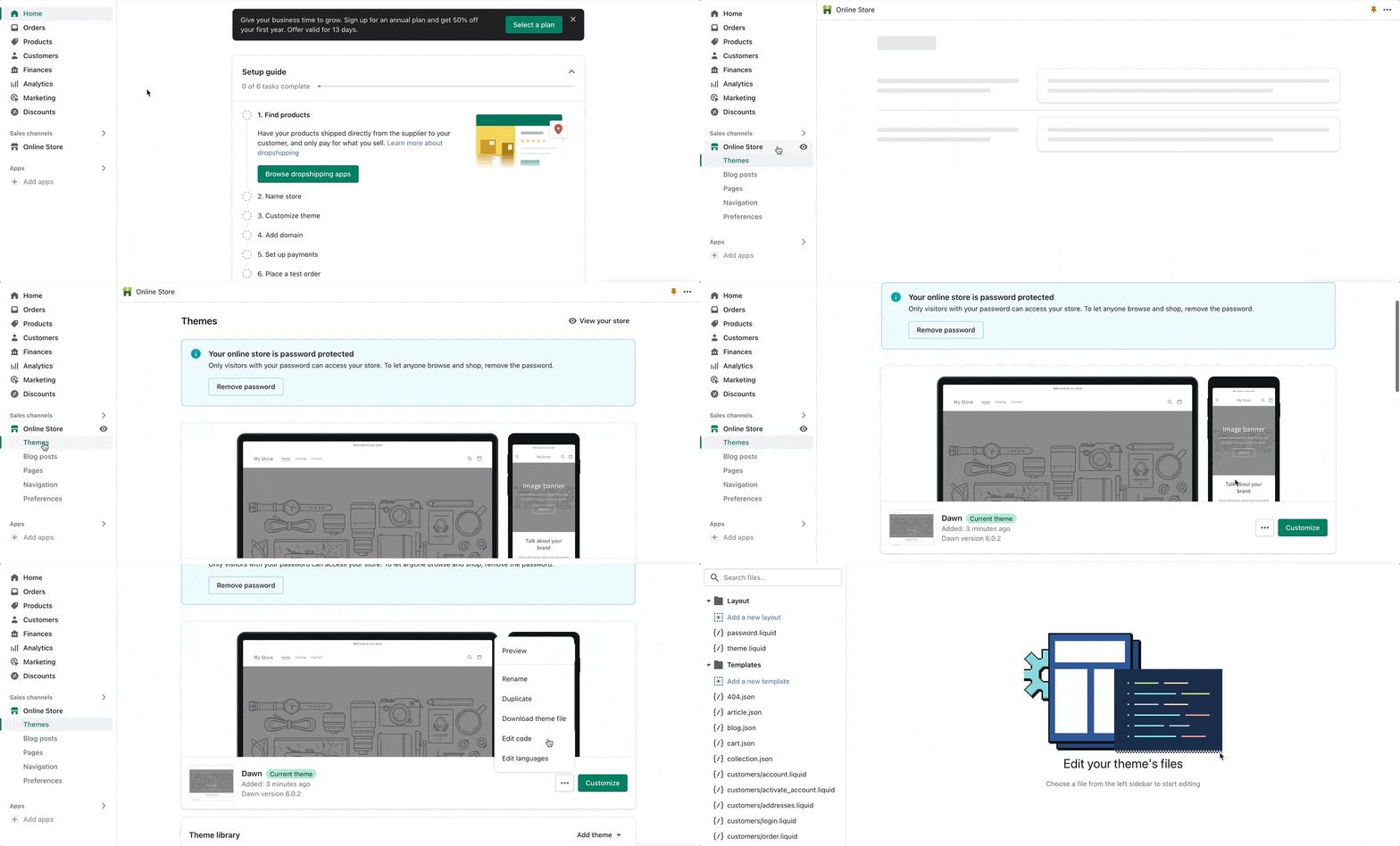
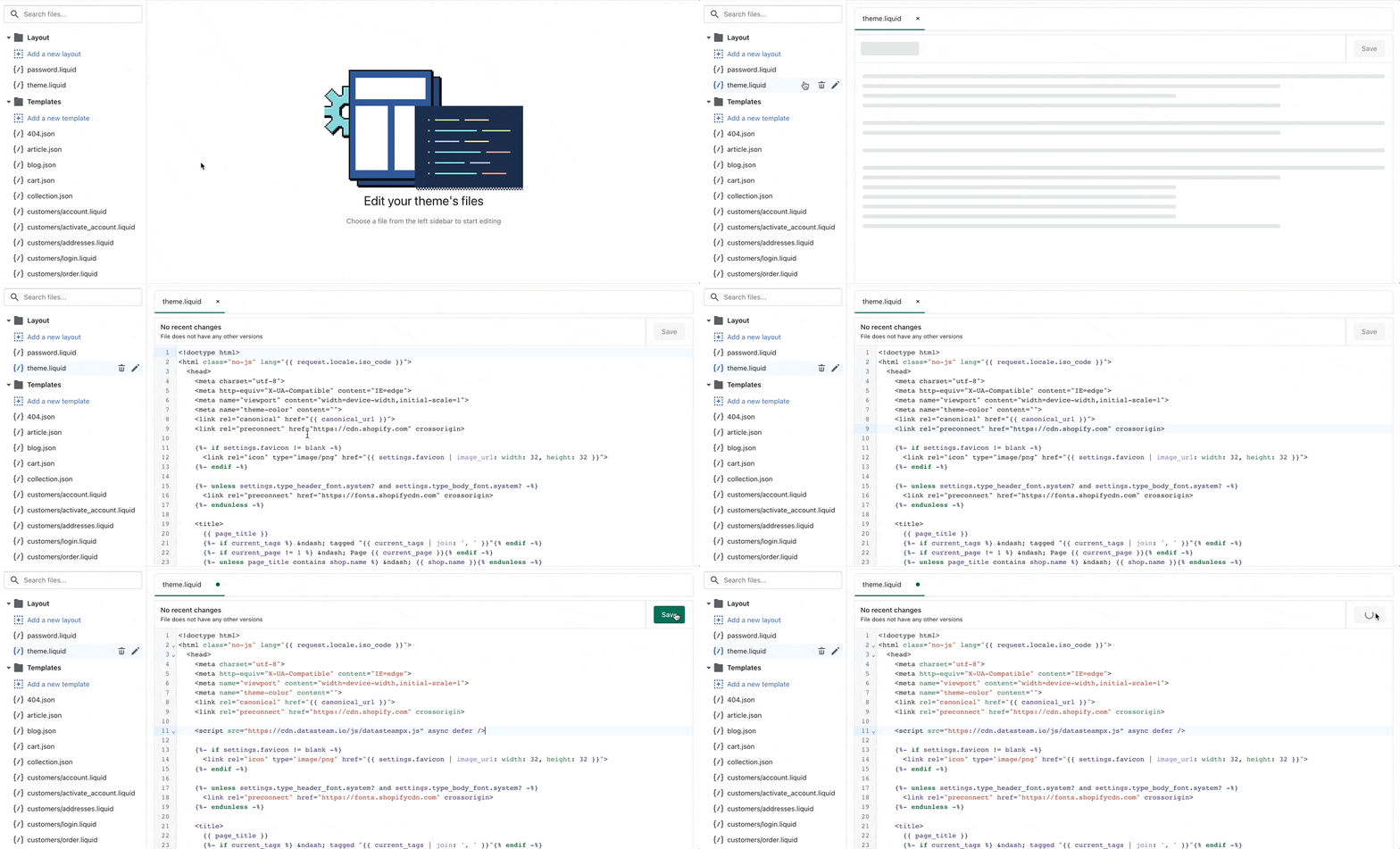
- Choose theme.liquid from the layout section of the left hand menu
- Paste in the below snippet
 javascript
<script type="text/javascript" src="https://cdn.datasteam.io/js/datasteampx.js" defer async ></script>
Page Load Tag
This tag keeps track of general site visitor traffic, and is placed on every page of the site EXCEPT conversion pages.
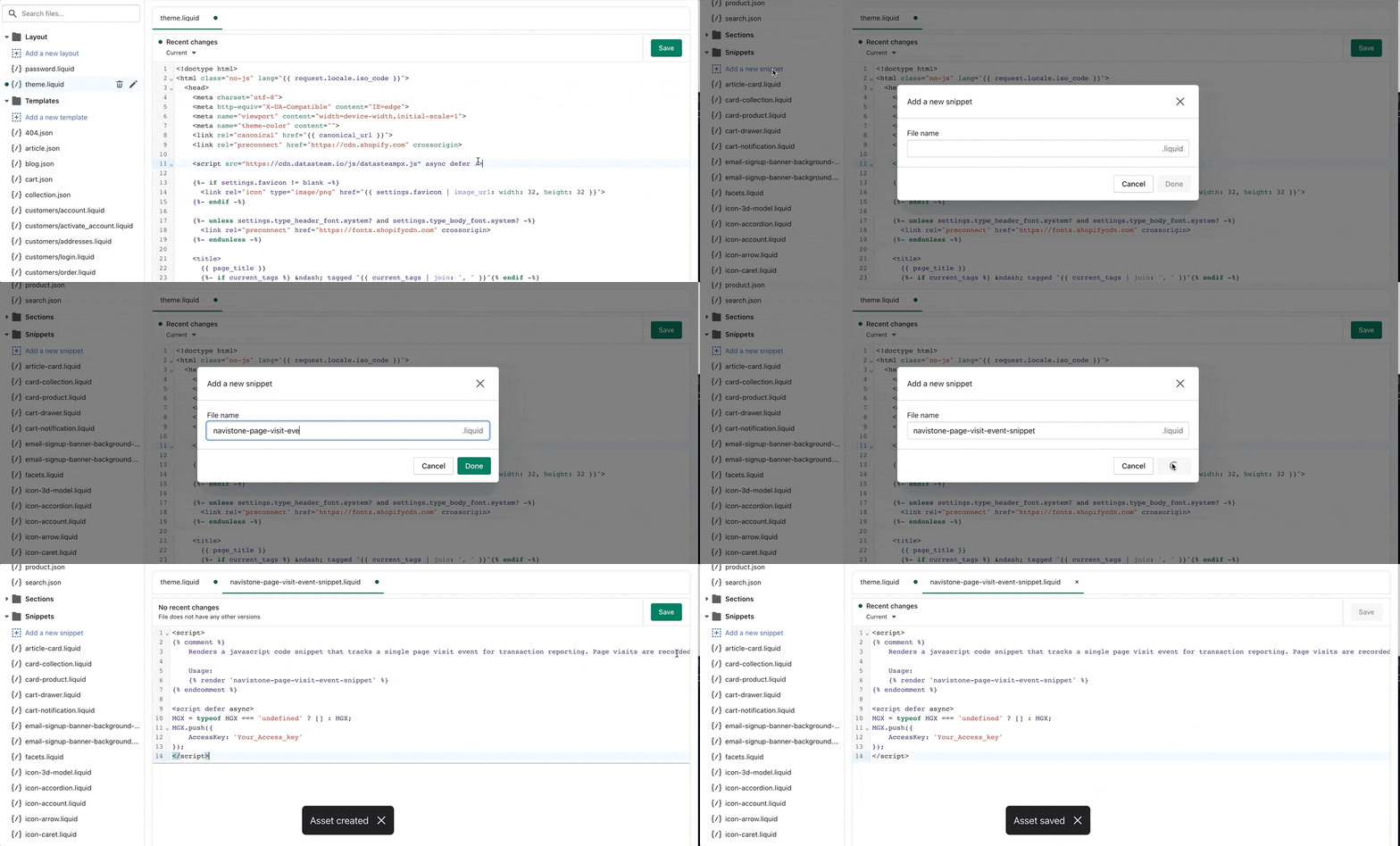
Snippet Creation
- On left hand menu, select Snippets > choose +Add a new snippet
- Name the snippet, navistone-page-visit-event-snippet.liquid
- Paste in below snippet > save
*Please note: update access key where placeholder is present, leaving single quotes intact.
Ex.) AccessKey: ‘000000000000’javascript{% comment %} Renders a javascript code snippet that tracks a single page visit event for transaction reporting. Page visits are recorded and used to produce attribution metrics. Usage: {% render 'navistone-page-visit-event-snippet' %} {% endcomment %} <script defer async> MGX = typeof MGX === 'undefined' ? [] : MGX; MGX.push({ AccessKey: 'Your_Access_key' }); </script>