
Appearance
Basic App Tagging Instructions
Use these instructions if you would like to place the tags directly to the site template, without the use of a tag manager.
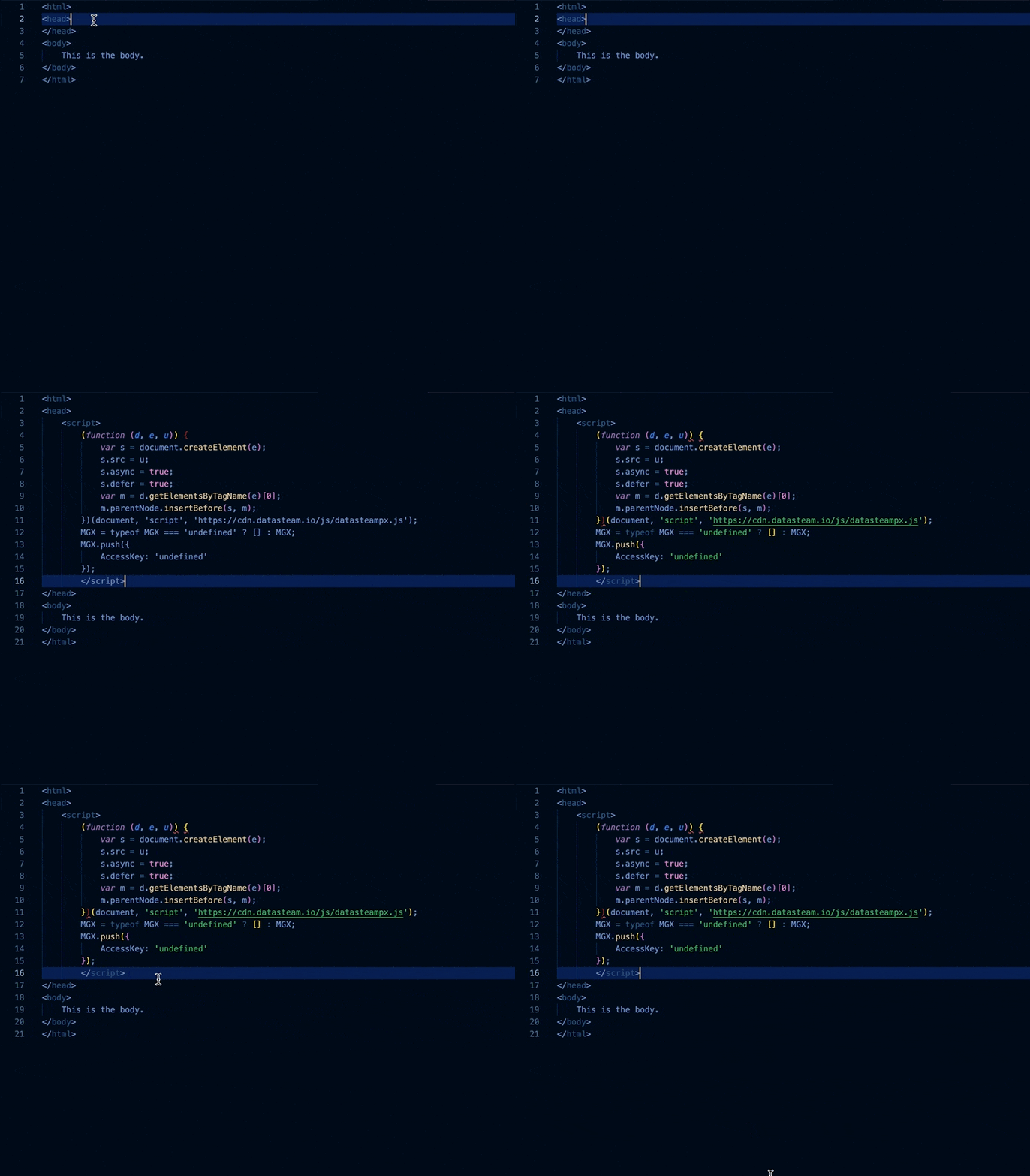
Page Load Tag
This tag keeps track of general site visitor traffic, and is placed on every page of the site EXCEPT conversion pages.
Paste the below snippet into the <head> of every page of the website, except the conversion pages.
*Please note: update access key where placeholder is present, leaving single quotes intact.
Ex.) AccessKey: ‘000000000000’javascript<script> (function (d, e, u) { var s = document.createElement(e); s.src = u; s.async = true; s.defer = true; var m = d.getElementsByTagName(e)[0]; m.parentNode.insertBefore(s, m); })(document, 'script', 'https://cdn.datasteam.io/js/datasteampx.js'); MGX = typeof MGX === 'undefined' ? [] : MGX; MGX.push({ AccessKey: 'Your_Access_Key' }); </script>
Conversion Tag
This tag records when a user completes a conversion on the site. This can come in the form of a purchase, form submitted, etc. A conversion page is the final confirmation/ checkout complete/ thank you page that displays after a user has completed a conversion action on the site.
- Paste the below snippet into the <head> of any conversion pages.
*Please note: update access key where placeholder is present, leaving single quotes intact.
Ex.) AccessKey: ‘000000000000’ - Update the OrderId and OrderTotal placeholders (SomeId/ ###.##) with the values that correspond to the ecommerce platform being used, leaving single quotes intact.
- If order values are not needed, please input null with NO quotes
- OrderId: null,
- OrderTotal: null
javascript<script> (function (d, e, u) { var s = document.createElement(e); s.src = u; s.async = true; s.defer = true; var m = d.getElementsByTagName(e)[0]; m.parentNode.insertBefore(s, m); })(document, 'script', 'https://cdn.datasteam.io/js/datasteampx.js'); MGX = typeof MGX === 'undefined' ? [] : MGX; MGX.push({ AccessKey: 'Your_Access_Key', //Must be set in MGX object or passed with commit Label: 'Conversion', Info: 'Order', //Optional piece of meta data to enable classification of different conversion types/events. OrderId: 'SomeId', OrderTotal: '###.##' }); </script>
- If order values are not needed, please input null with NO quotes